Installing and Enabling Scooter Utilities
How to install Scooter Utilities from Fab and enable it in your Unreal Engine project.
Installing from Fab
WARNING
Scooter Utilities isn't available on Fab yet. These steps describe the expected process once it's listed.
If you've gotten Scooter Utilities through Fab, downloading and installing is handled by fab.com and the Epic Games Launcher:
On fab.com, after purchase, click the Download link on the Scooter Utilities product listing.
A pop-up appears with a link to the Epic Games Launcher. Click the link to open the launcher.
In the launcher, scroll down to your Fab Library, find Scooter Utilities, and click Install to Engine.
If prompted, select the engine version you want the plugin installed to.
For source code installation or manual setup, see the installation instructions in the repository README.
Enabling the Plugin
In the Main Menu, go to Edit > Plugins.
Search for Scooter Utilities, then enable the checkbox next to it.
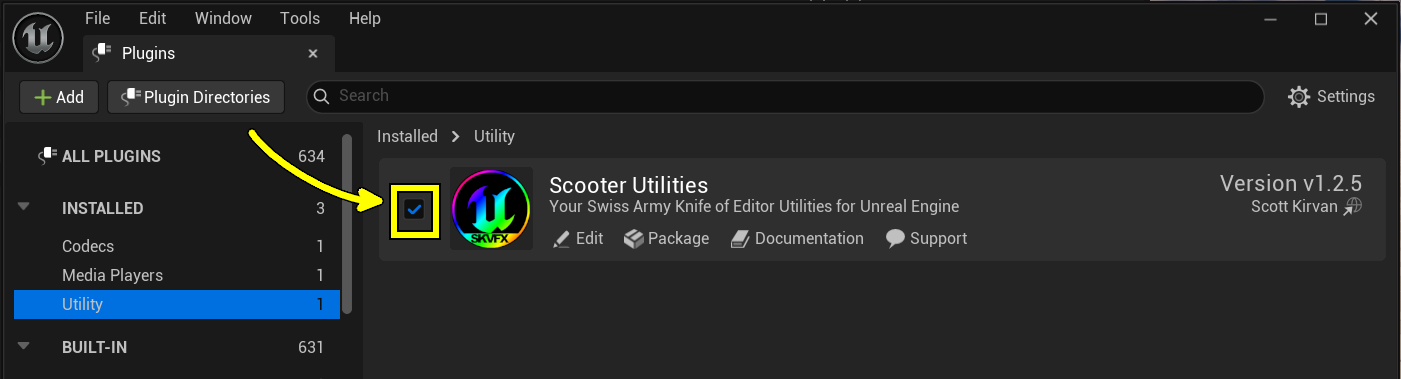
Click Restart Now when prompted to restart the editor.
TIP
The plugin is enabled by default for new projects. You can change this with Enable Plugin By Default For New Projects in the Editor Preferences.